
Why My Blogger Website is Not Showing in Google Search
Your Blogger website might be invisible in Google search due to indexing issues or SEO shortcomings. Failure to follow Google's guidelines can also cause invisibility.
Blogs often struggle to appear in search results if they're not properly optimized or indexed by search engines. Creating a website or a blog is only the first step in reaching an online audience. To ensure that your content appears in Google search results, it's crucial to understand and implement Search Engine Optimization (SEO) strategies effectively.
SEO practices help signal to search engines that your website is a relevant source of information for users' queries. Without proper indexing, even the most valuable content can remain unseen. Google must be aware of your site's existence and consider it valuable to display it in relevant searches, which involves several factors ranging from site structure and content quality to user engagement and inbound links.
Common Visibility Issues For Blogger Websites
If your Blogger website is hard to find on Google, you are not alone. Many Blogger users face this problem. Let's talk about some common reasons why Google might not show your website.
Search Engine Indexing Delays
Google takes time to find and list new websites. Here are some possible reasons:
- Brand new website: Just made your blog? Wait a few weeks.
- Low content amount: Google prefers sites with more posts.
- Website structure: Make sure Google can understand your site.
- No sitemap submitted: A sitemap tells Google about your pages. Submit one via Google Search Console.
Patience is key. Your website might appear with time.
Incorrect Privacy Settings
Another common mistake is having the wrong privacy settings. Make sure your Blogger settings allow search engines to visit. To check, do the following:
- Log into Blogger dashboard.
- Go to Settings.
- Find Privacy.
- Make sure "Visible to search engines" is on.
If this option is off, Google will not show your blog.

Credit: m.youtube.com
Technical Seo Mistakes To Avoid
Is your Blogger website invisible in Google search? Technical SEO could be the issue. Certain mistakes may prevent your site from showing up where it belongs. Let's fix that.
Poor Site Structure And Navigation
Google loves well-organized content. A messy structure confuses both Google and visitors. Follow these tips:
- Use a clear hierarchy with main categories and subcategories.
- Make sure each page is reachable through text links.
- Create a sitemap and submit it via Google Search Console.
A neat structure helps Google bots and users find information quickly.
Lack Of Mobile Optimization
Nowadays, everyone uses smartphones. Does your site work well on them? Google prioritizes mobile-friendly sites. Check these areas:
- Run the Google Mobile-Friendly Test.
- Ensure your theme is responsive.
- Avoid using Flash – it's obsolete.
- Compress images for faster loading.
Your site must be easy to use on any device for the best chance to rank in search results.
Content Quality And Relevance
If your Blogger website isn't showing up in Google, first, look at your content. Google prioritizes content that offers value to readers. Here are some factors that could be affecting your visibility.
Keyword Targeting And Optimization
Right keywords can make your blog visible. They should match what people search. Your keywords must relate to your blog's topic. Use them in titles, headings, and throughout your content. But beware! Too many keywords can harm your ranking. This is called keyword stuffing. It looks spammy to Google. Balance is key.
- Use keywords naturally
- Include in title and headings
- Avoid overuse to dodge penalties
Duplicate Or Thin Content Penalties
Google fights against unoriginal content. If your posts are not unique, Google might ignore your site. Duplicate content can be your own or from another site. Sometimes, even similar content on your site can lead to penalties. 'Thin' content offers little value. It lacks depth or insight. Google prefers content that helps users.
| Bad Content Practices | Google's Response |
|---|---|
| Duplicate pages | Ignoring pages |
| Spun articles | Lowering rank |
| Little original info | Penalty |
Review your content. Ensure it's unique, informative, and rich. Update old posts to improve value.
Credit: support.google.com
The Impact Of Backlinks And Domain Authority
An online presence is vital for any blogger wishing to gain readers. Yet, sometimes, a blogger website might not appear on Google search. Two key reasons could be the quality of backlinks and domain authority.
Building A Healthy Backlink Profile
Backlinks are like votes for a website. They tell search engines that other websites trust and value your content. A strong backlink profile can push a website higher in search rankings.
- Seek out quality: Look for links from reputable, high-traffic sites.
- Avoid spammy tactics: Search engines can penalize or ignore sites with poor backlink practices.
- Maintain diversity: A mix of different types of backlinks shows natural growth.
Tools like Ahrefs or Moz can help track and analyze backlinks. This ensures they contribute to improved search visibility. Remember to remove harmful links that could hurt rankings.
Understanding Domain Authority And Its Effect
Domain Authority (DA) is a score that predicts how well a site ranks on search engines. Moz developed this metric. It ranges from one to 100, with higher scores corresponding to a greater ability to rank.
| Domain Authority Range | Typical Ability to Rank |
|---|---|
| 1-30 | Low |
| 31-60 | Moderate |
| 61-100 | High |
To improve DA, create high-quality content that other reputable sites want to link to. This process increases both backlinks and DA naturally.
- Regular updates: Fresh, relevant content can boost DA.
- Technical SEO: Ensure the site is crawlable and user-friendly.
- Social signals: Shares on social media can indirectly influence DA.
Improving DA takes time, but with consistent effort, your blog's visibility on Google Search will rise.
Google's Search Algorithms And Updates
Notice a drop in your Blogger site's visibility on Google? It might be the work of the enigmatic algorithms that Google uses. Google's search algorithms and updates dictate which sites make it to the top of search results. They are complex. They change often. To maintain your site's presence, understanding these algorithms is key.
Keeping Up With Algorithm Changes
Algorithm changes can happen anytime. These tweaks can affect your site's ranking. Stay informed to adjust your strategy.
- Read official Google announcements.
- Follow SEO industry experts.
- Analyze your site's data regularly.
Sites aligned with the latest rules tend to rank better. Don't fall behind.
Penalties And Recovering From Them
Google penalties can be manual or algorithmic. They hit websites hard.
- Identify if it's a penalty. Check Google Search Console.
- Correct the issues. This may involve removing bad links or improving content quality.
- Submit a reconsideration request. Do this if your penalty is manual.
Recovering takes time and effort. Keep your site clean to avoid future penalties.
Troubleshooting With Search Console
Is your Blogger website invisible on Google Search? You're not alone. Many site owners face this challenge. The key to fixing this lies in understanding the tools and reports provided by Google Search Console. Let's dive into troubleshooting with this powerful aid.
Utilizing Google Search Console Tools
Begin by verifying your website with Google Search Console. It's a quick process:
- Add your website to the Console.
- Verify ownership through a meta tag or HTML file.
- Submit your sitemap for Google to crawl.
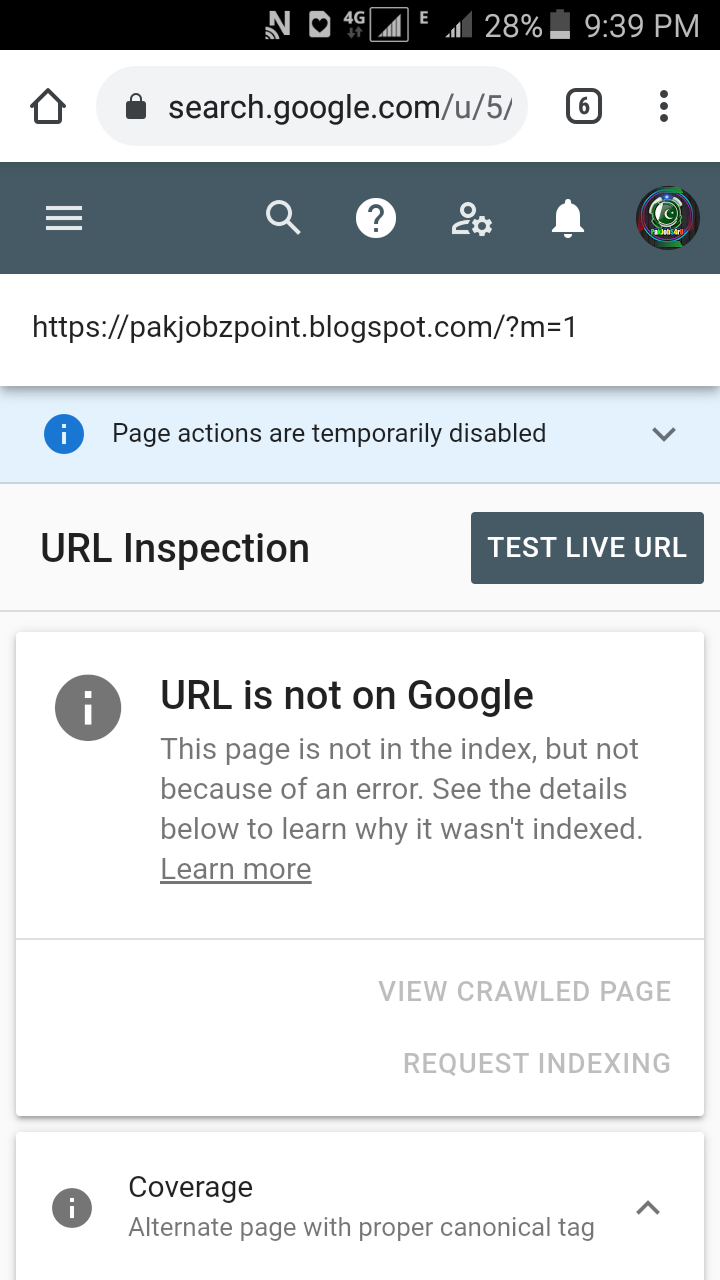
Use the 'Coverage' tab to check for index errors. Fix them to help Google find and show your site.
Interpreting The Site Performance Reports
The 'Performance' tab gives insights into how your site is doing in search. Here's how to read the reports:
- Total Clicks: How many times users clicked through to your website.
- Total Impressions: How many times users saw a link to your site.
- Average CTR (click-through rate): The percentage of impressions that resulted in a click.
- Average Position: Where your website typically ranks in search results.
Look for trends. Are your clicks going up? Is your position improving? Use this data to inform your SEO strategy.
Credit: support.google.com
Frequently Asked Questions Of Why My Blogger Website Is Not Showing In Google Search
Why Isn't My Blogger Site Indexed By Google?
Google may not index your site if it's new, lacks quality backlinks, or has crawl errors. Ensure your site is submitted to Google Search Console. Improve content and build backlinks for better indexing.
How Can I Check If My Blogger Site Is Indexed?
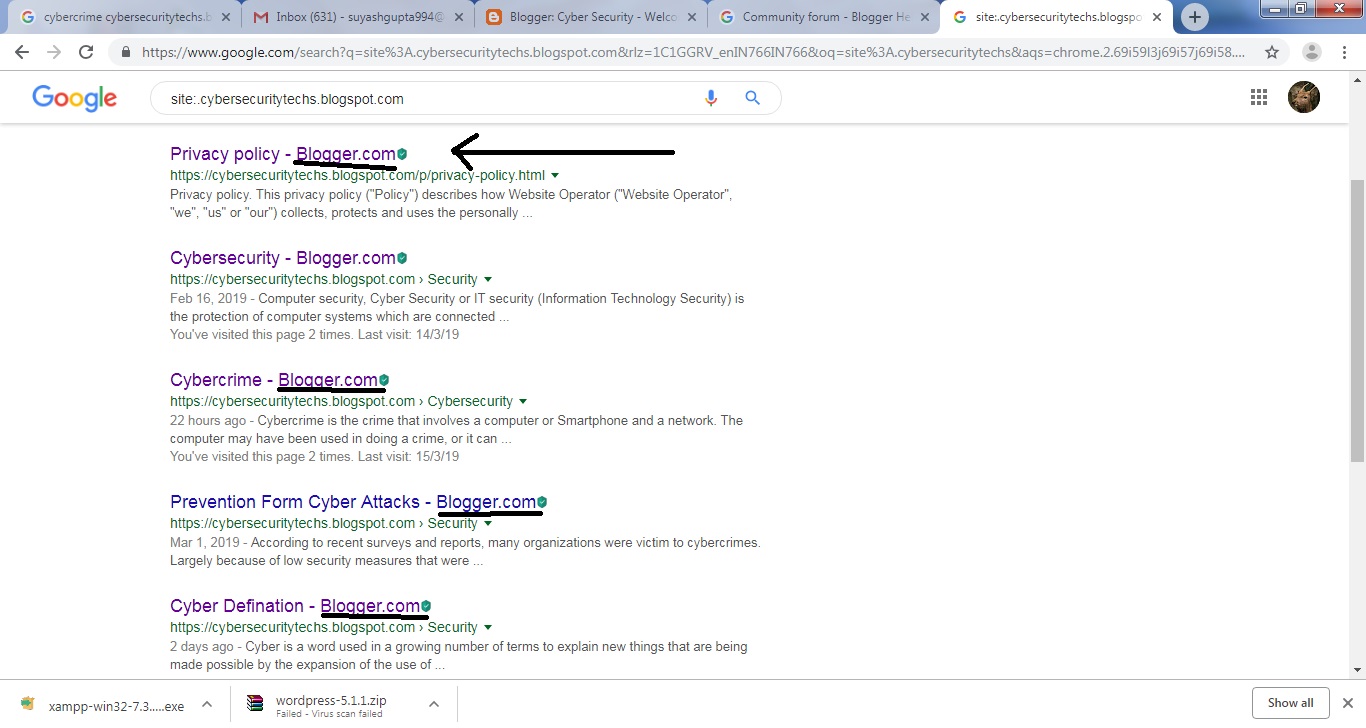
Use Google Search Console to check indexing status. Alternatively, search "site:yourblogname. blogspot. com" on Google. If no results appear, your site isn't indexed.
What Are Common Indexing Issues For Blogger Sites?
Common issues include crawling errors, poor site structure, and low-quality content. Ensure you have a sitemap and that your site is accessible to Googlebot. Also, invest in creating valuable content.
Can Duplicate Content Affect My Blogger's Google Ranking?
Yes, duplicate content can negatively impact your ranking. Google prioritizes unique content. Remove or revise any plagiarized content and use canonical tags if needed.
Conclusion
Understanding why your Blogger website isn't appearing in Google Search requires patience and a targeted approach. Check your SEO practices, ensure your site is indexed, and continuously create valuable content. Results won't come overnight, but perseverance and optimization are key to visibility.
Keep pushing forward, and you'll see progress.


Leave a Comment